 codiflash
Intranet vs SharePoint: Differences, Advantages & When to Use Each (2026)
Intranet vs SharePoint — they're not the same. Learn the real difference, when SharePoint is the right platform for your intranet, and when it isn't. Includes comparison table.


Introduction
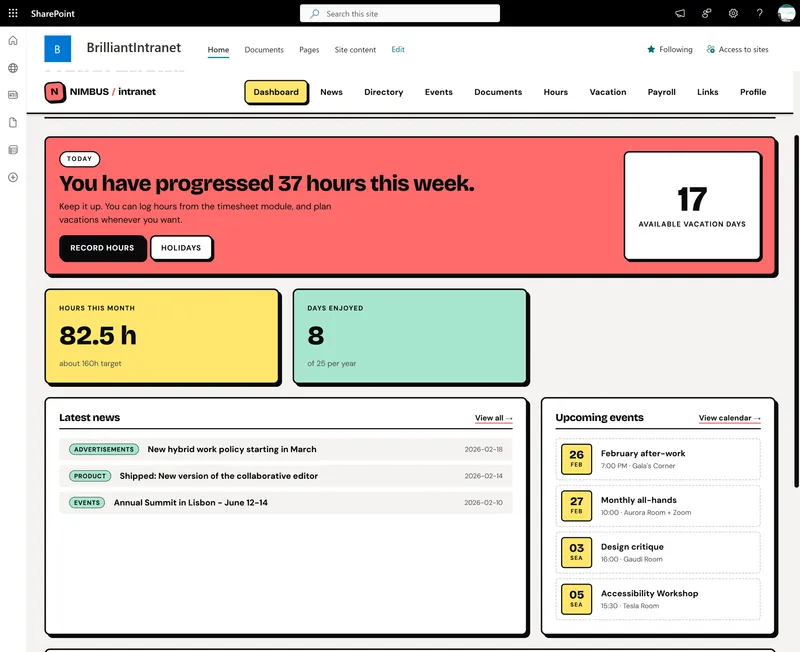
People often say “intranet” and “SharePoint” in the same breath, but they’re not the same thing. SharePoint is a Microsoft platform. An intranet is an internal website or digital workspace—and SharePoint is one of the most common platforms used to build it. This article clarifies the difference.
What Is an Intranet?
An intranet is a private, internal network or website used by an organization. It typically includes:
- News and announcements
- Document libraries and knowledge bases
- Employee directory and HR resources
- Department or team sites
- Links to internal tools and applications
An intranet can be built on various platforms: SharePoint, Confluence, Igloo, Simpplr, or custom solutions.
What Is SharePoint?
SharePoint is a Microsoft platform for collaboration, document management, and building internal sites. It provides:
- Sites (communication sites, team sites)
- Document libraries with versioning, metadata, and search
- Hub sites to connect related sites
- Integration with Microsoft 365 (Teams, Outlook, OneDrive, Power Automate)
- Customization via SPFx, Power Apps, and more
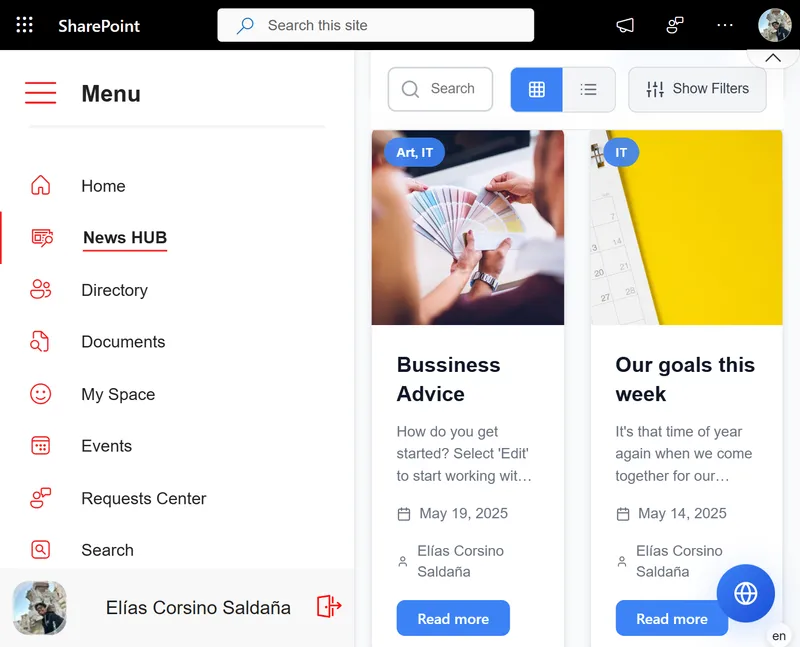
SharePoint is the technology. An intranet is the solution you build with it.
The Relationship
Think of it this way:
- SharePoint = the engine (platform, tools, infrastructure)
- Intranet = the car (the experience, structure, and content you build)
You can use SharePoint for many things: document management, team collaboration, extranets, public-facing sites. When you use it to build a central internal hub for employees, that’s your intranet.
”SharePoint Intranet” vs. “Intranet on SharePoint”
Both phrases mean the same thing: an intranet built on SharePoint. “SharePoint intranet” is just shorthand. When people say “we need a SharePoint intranet,” they usually mean “we need an internal hub built on SharePoint.”
Other Intranet Platforms
SharePoint isn’t the only option. Alternatives include:
- Confluence – Atlassian’s wiki and documentation platform
- Igloo, Simpplr, Staffbase – Dedicated intranet SaaS platforms
- Custom builds – Built on other frameworks
The choice depends on your existing stack (Microsoft 365 vs. other tools), budget, and requirements.
SharePoint vs Other Intranet Platforms: Comparison
| SharePoint | Confluence | Simpplr / Staffbase | Custom build | |
|---|---|---|---|---|
| M365 integration | Native | Via plugins | Partial | Depends |
| Document management | Advanced | Basic | Limited | Depends |
| Customization | High (SPFx, Power Apps) | Medium | Low | Total |
| Pricing | Included in M365 | Per user | Monthly SaaS | Variable |
| Learning curve | Medium-high | Low | Low | N/A |
| Compliance | Enterprise (GDPR, ISO) | Via plugins | Basic | Depends |
| Best for | Large orgs on M365 | Dev/engineering teams | SMBs without IT | Unique requirements |
When Does SharePoint Make Sense for Your Intranet?
Choose SharePoint if:
- Your organization already has Microsoft 365 licenses — SharePoint is included at no extra cost
- You need advanced document management: approvals, retention policies, versioning, audit trails
- You want full control over the experience: granular permissions, custom corporate design
- Your company has 100+ employees across multiple departments or locations
- You require regulatory compliance (GDPR, ISO 27001, regulated industries)
- You plan to integrate workflows with Power Automate, Power BI, or Microsoft Teams
Consider an alternative if:
- Your team has fewer than 50 people with no existing M365 licenses (Simpplr or Staffbase deploy faster)
- The primary use case is technical documentation for developers (Confluence fits better)
- You need a turnkey solution without an IT team or consultant (dedicated SaaS platforms)
Types of Intranet: Which Does Your Organization Need?
Not all intranets are the same. Before choosing a platform, identify which type fits your organization:
Informational intranet
Focused on news, announcements, and internal communications. Ideal for large organizations that need to keep everyone aligned. SharePoint Communication Sites is the native solution for this.
Document management intranet
The focus is storing, organizing, and finding corporate documents. Requires metadata, version control, and advanced search. SharePoint outperforms every alternative here.
Productivity intranet
Integrates business tools: approval forms, KPI dashboards, employee directory. SharePoint + Power Platform covers this end-to-end.
Social / collaborative intranet
Prioritizes people interaction: profiles, communities, recognition. Viva Connections (built on SharePoint) or platforms like Staffbase are better suited here.
A modern intranet typically combines all four. SharePoint handles the first three natively; the fourth can be extended with Viva Engage (formerly Yammer).
Conclusion
SharePoint is the platform; an intranet is what you build. A “SharePoint intranet” is an internal hub built on SharePoint. Understanding this distinction helps when planning, budgeting, and communicating with stakeholders.
Interested in building a SharePoint intranet? Contact us for a free consultation.